

Broadcast Software Integration
ScoreBird + TKDS
Native IntegrationTKDS is a proprietary live production and graphics platform. ScoreBird integrates natively with TKDS, pushing live scoring data from NeST directly into the TKDS production pipeline for automated on-air score graphics.
How It Works
Native Integration — ScoreBird data flows directly into TKDS
Live score, clock, and period data from NeST
Automated score graphics with no manual input required
Seamless integration with TKDS production workflows
Setup Guide
TKDS Media Integration Setup
Connect ScoreBird to TKDS Media for a native broadcast integration. Data flows directly between ScoreBird and TKDS — no browser source or third-party overlay required.
Requirements
- TKDS Media software installed
- A NeST device
- Your 5-digit NeST ID
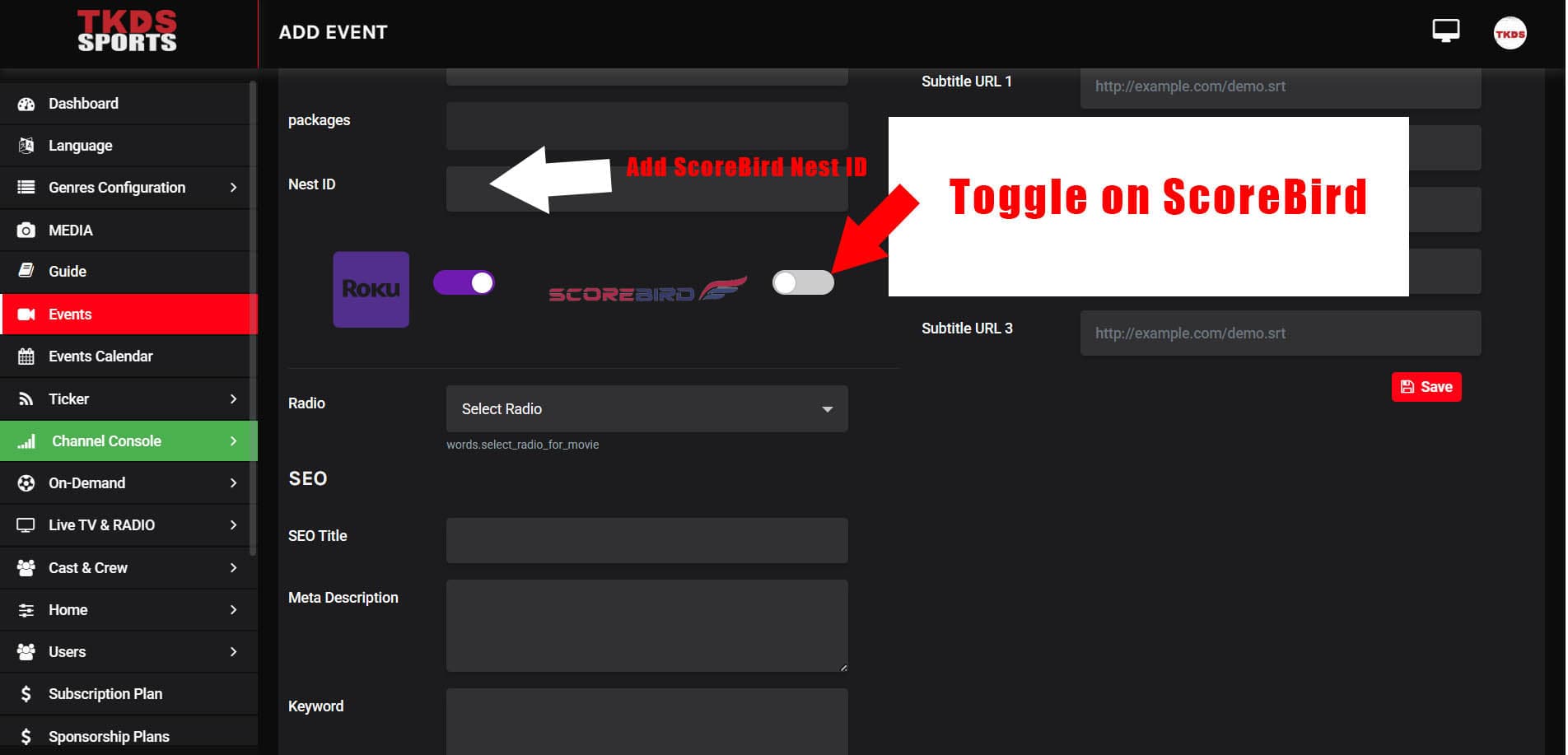
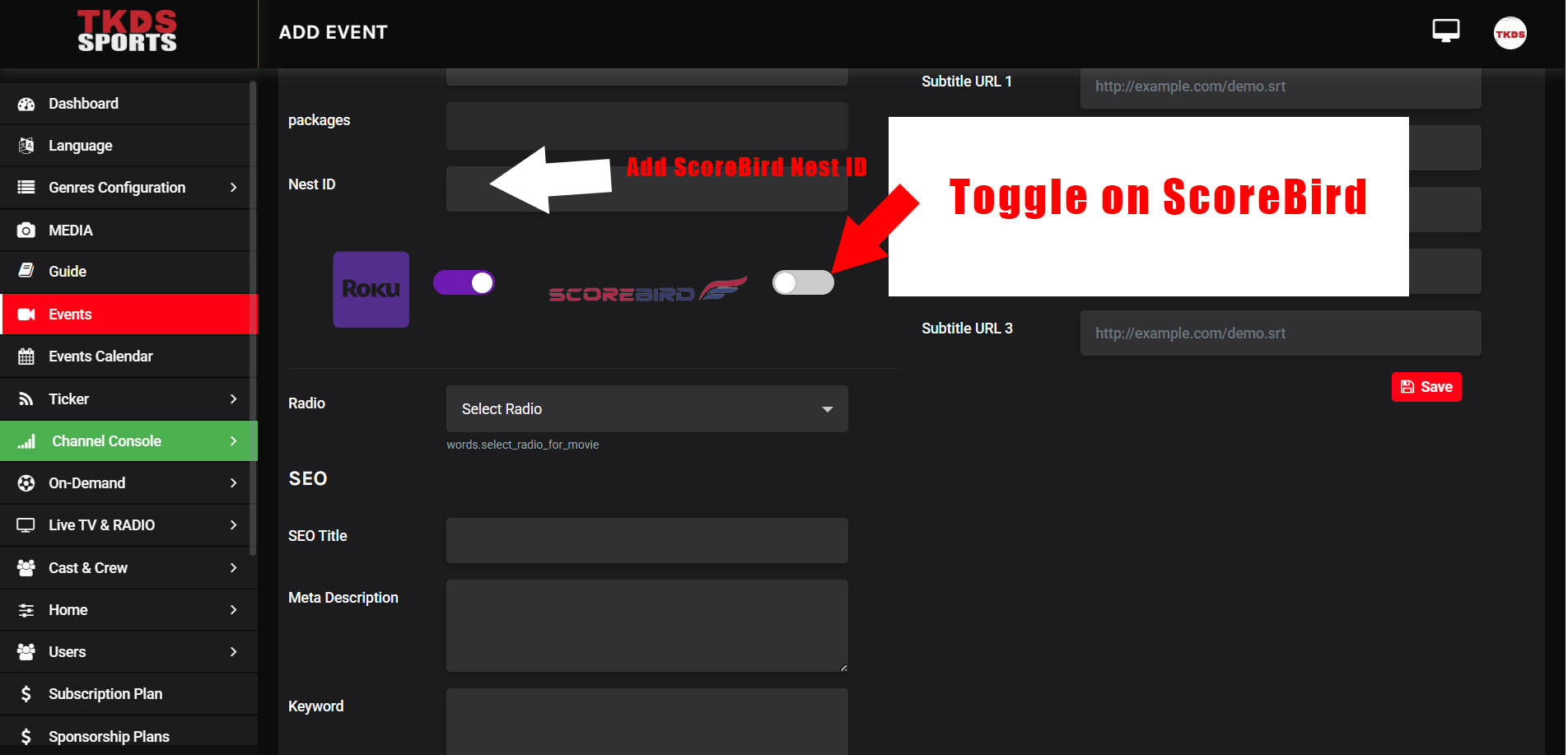
Step 1: Enable ScoreBird in the Events Tab
Navigate to the Events tab in TKDS Media. Enable the Scorebird switch and enter your 5-digit NeST ID.
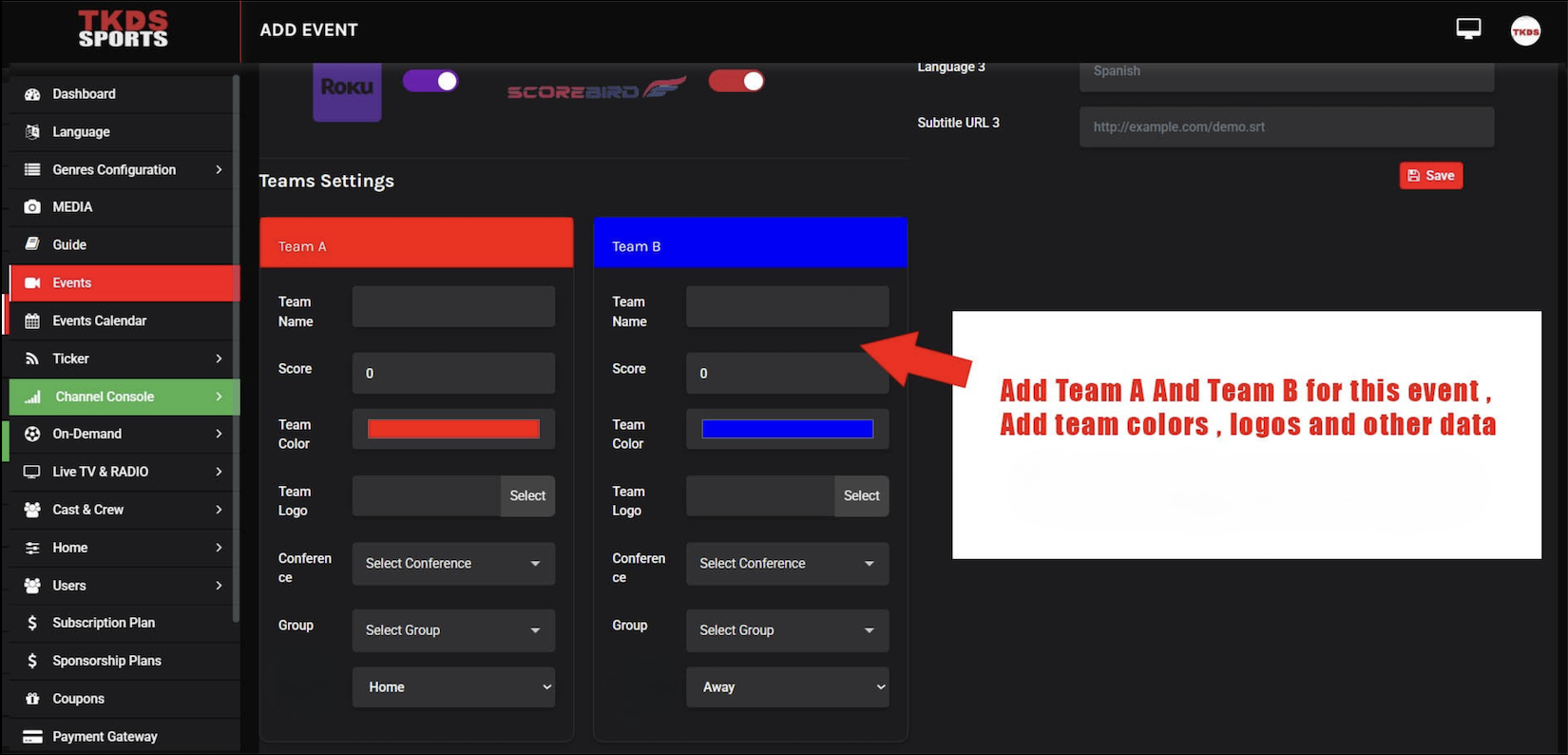
Step 2: Customize Team Settings
Adjust team-specific settings including colors, names, logos, and any other customization options available for your sport.
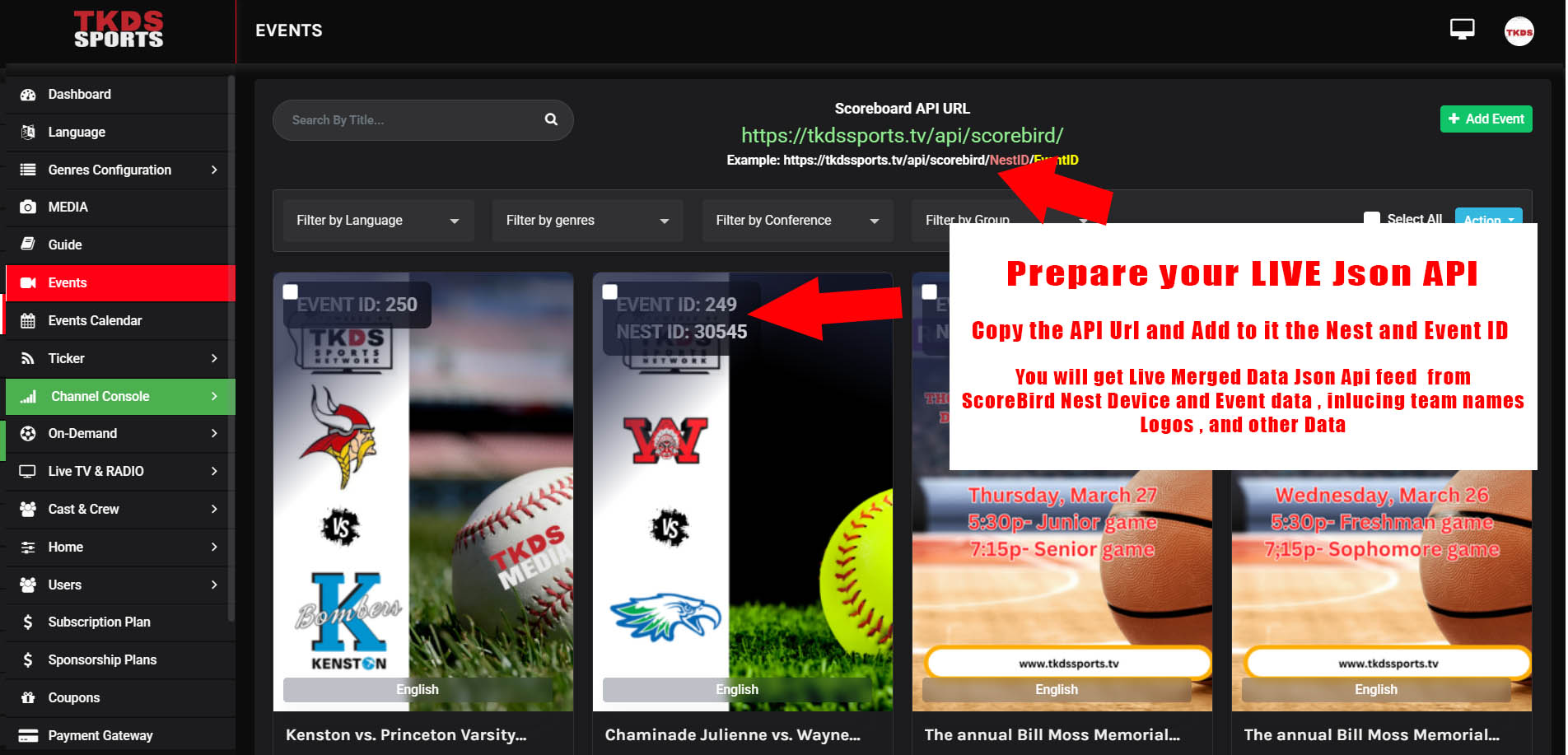
Step 3: Access the Live JSON API Endpoint
Access the live JSON API endpoint generated by TKDS. Extract the API URL — it will include your NeST ID and Event ID as parameters.
Notes
- This is a native integration — data flows directly between ScoreBird and TKDS without requiring a separate overlay or browser source.
Troubleshooting
- Data not appearing? Confirm your NeST device is online and the correct NeST ID is entered.
- Need help? Contact support at support@scorebird.com or call 844-GOT-BIRD (844-468-2473).
Ready to Connect with TKDS?
Get ScoreBird set up with TKDS and start showing live scores today.