
CamStreamer Setup
CamStreamer Integration Setup
Add live ScoreBird score overlays to your Axis camera streams using CamOverlay and CamScripter from CamStreamer.
Requirements
- An Axis network camera
- CamOverlay and CamScripter apps (downloaded from CamStreamer)
- A ScoreBird account with an active NeST device
- Your ScoreBird API key and NeST serial number
Step 1: Download CamOverlay and CamScripter
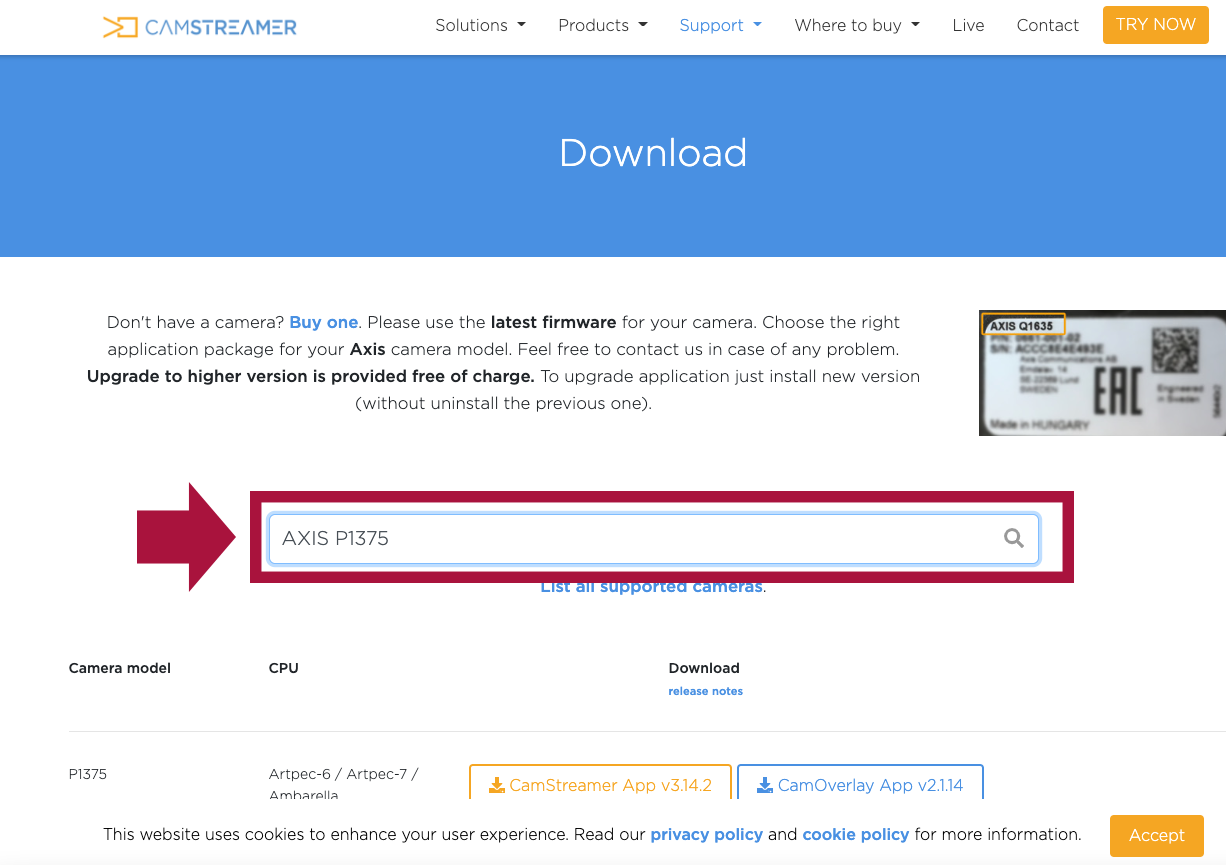
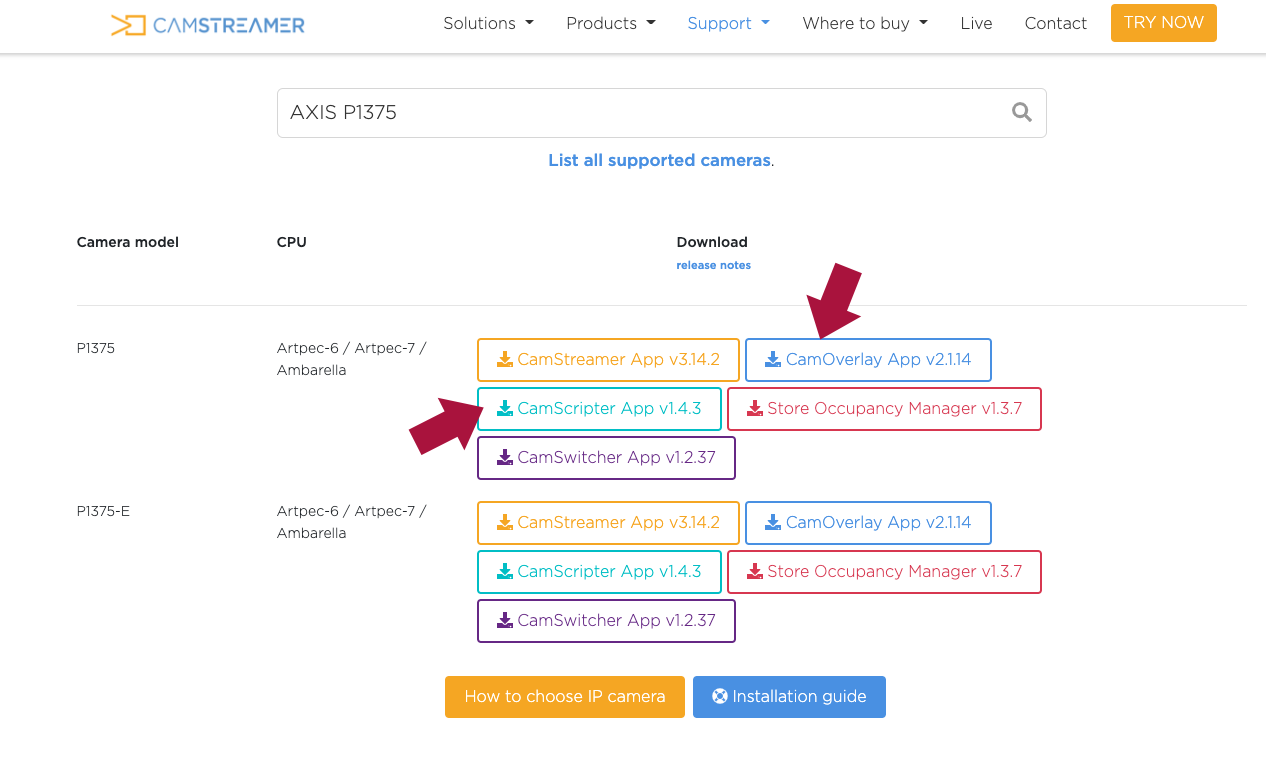
Go to camstreamer.com/download-app and enter your camera model to download the correct versions of both apps.
Step 2: Install Apps on the Camera
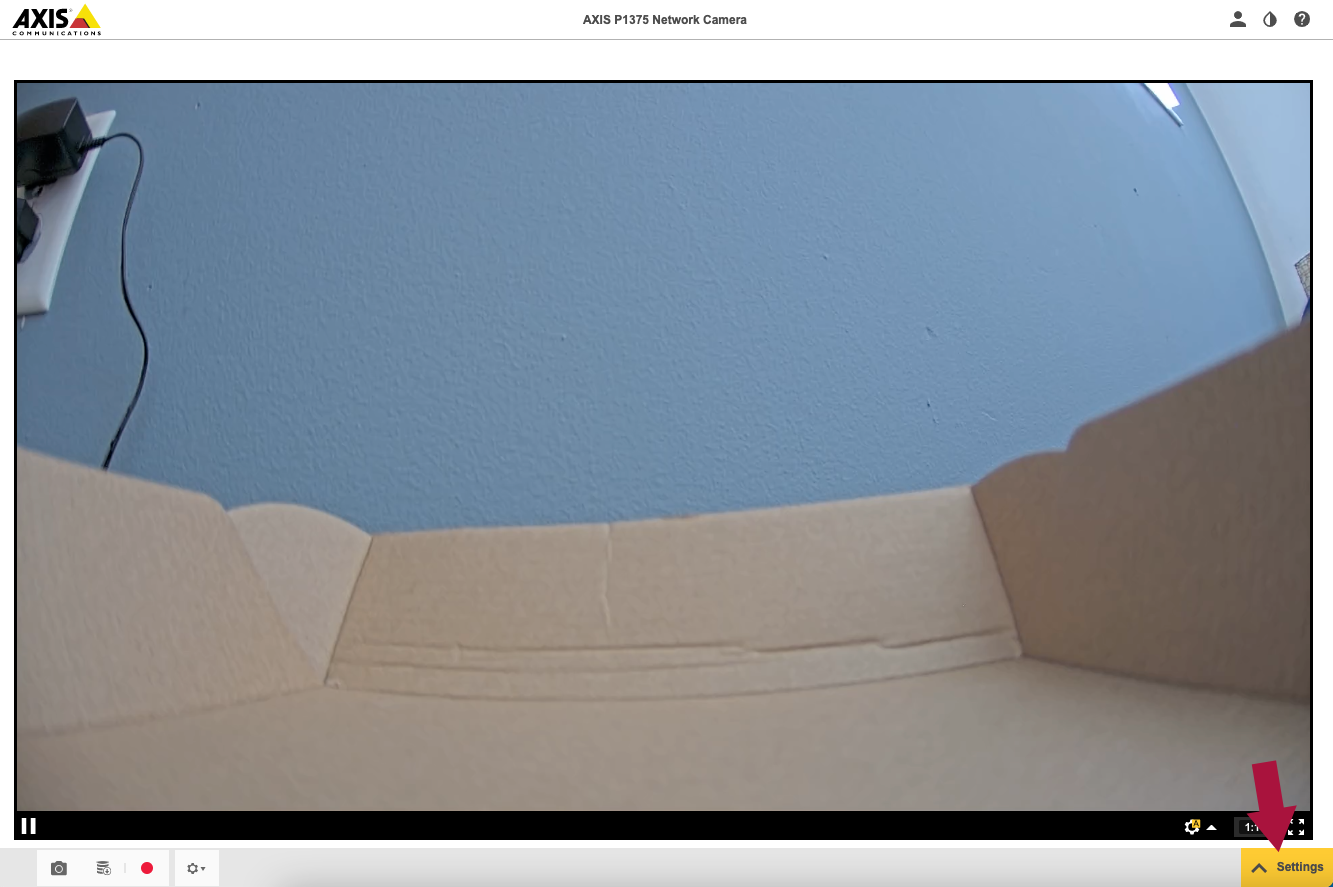
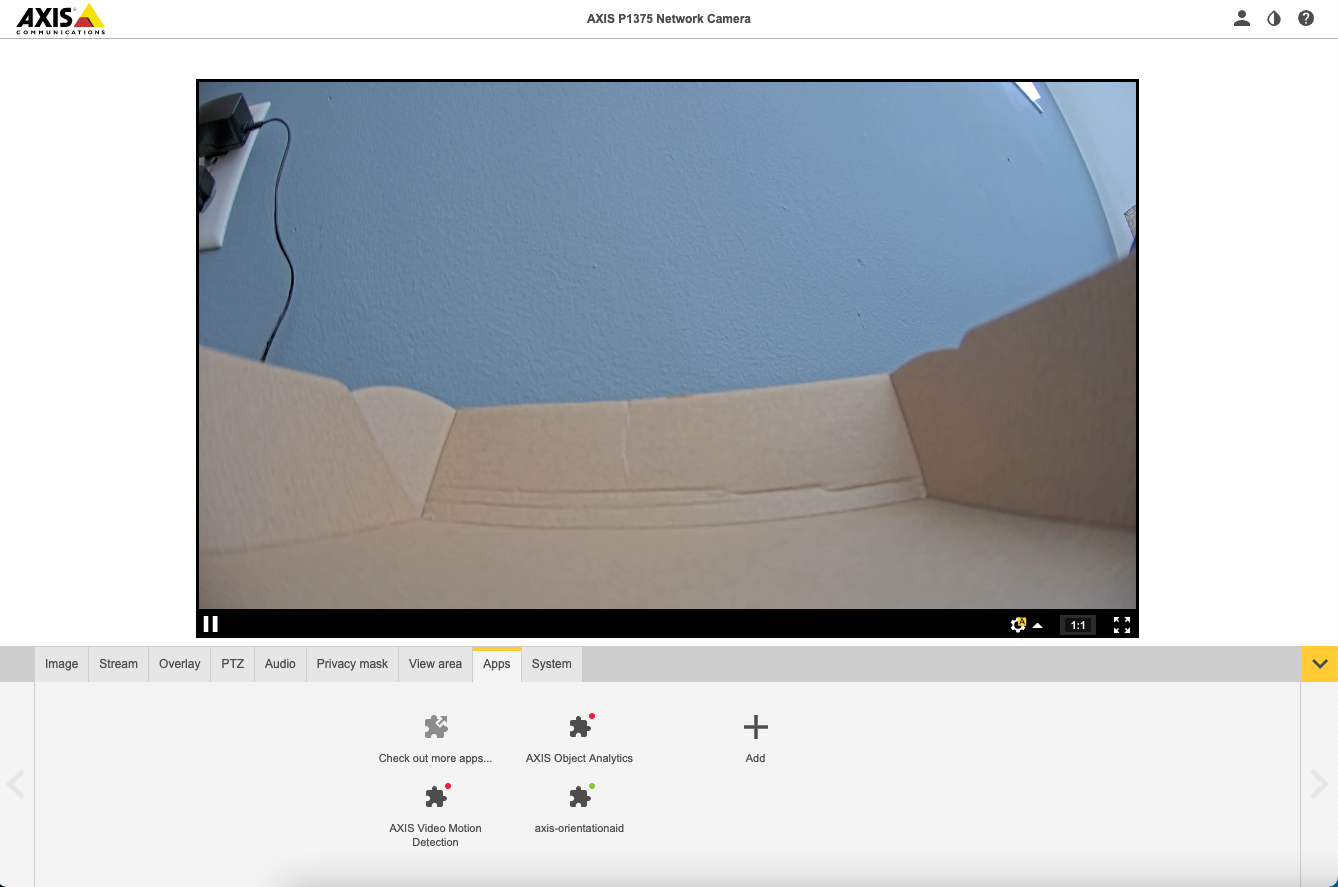
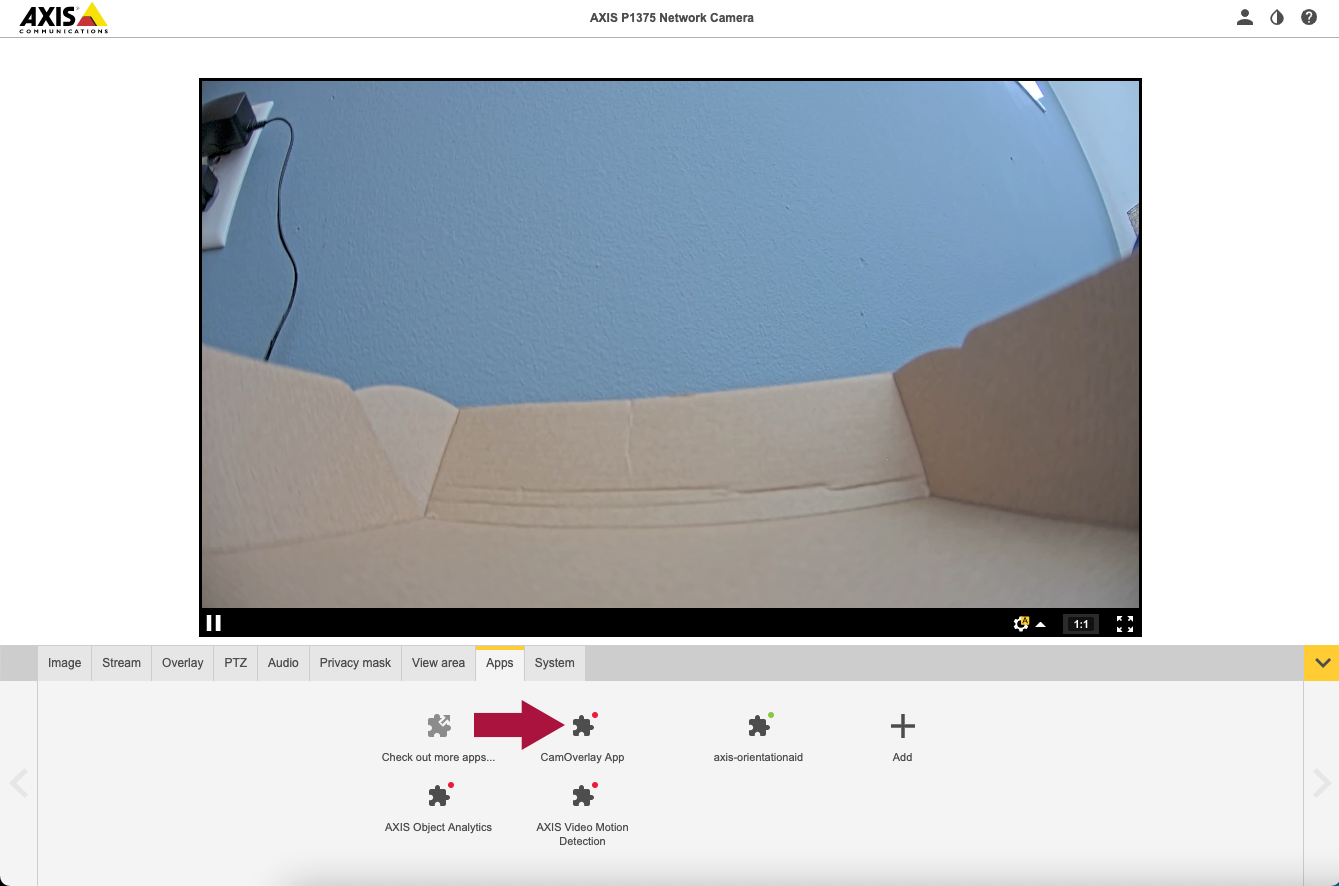
Access your camera's web interface by navigating to its IP address in a browser. Go to Settings > Apps and install both CamOverlay and CamScripter.
Step 3: Start Both Apps
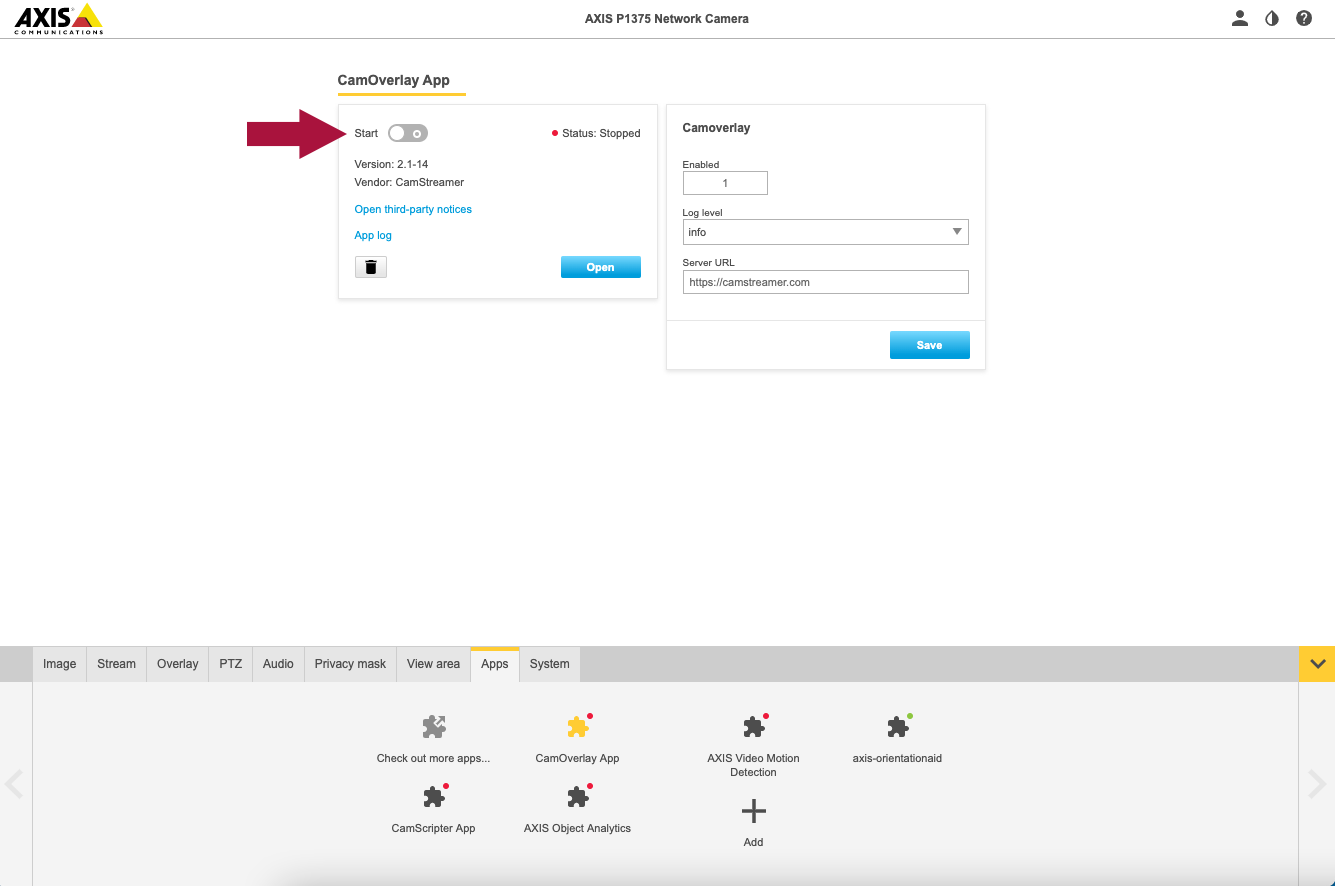
Toggle "Start" for both CamOverlay and CamScripter to enable them. Then open the CamScripter settings.
Step 4: Install the ScoreBird Overlay
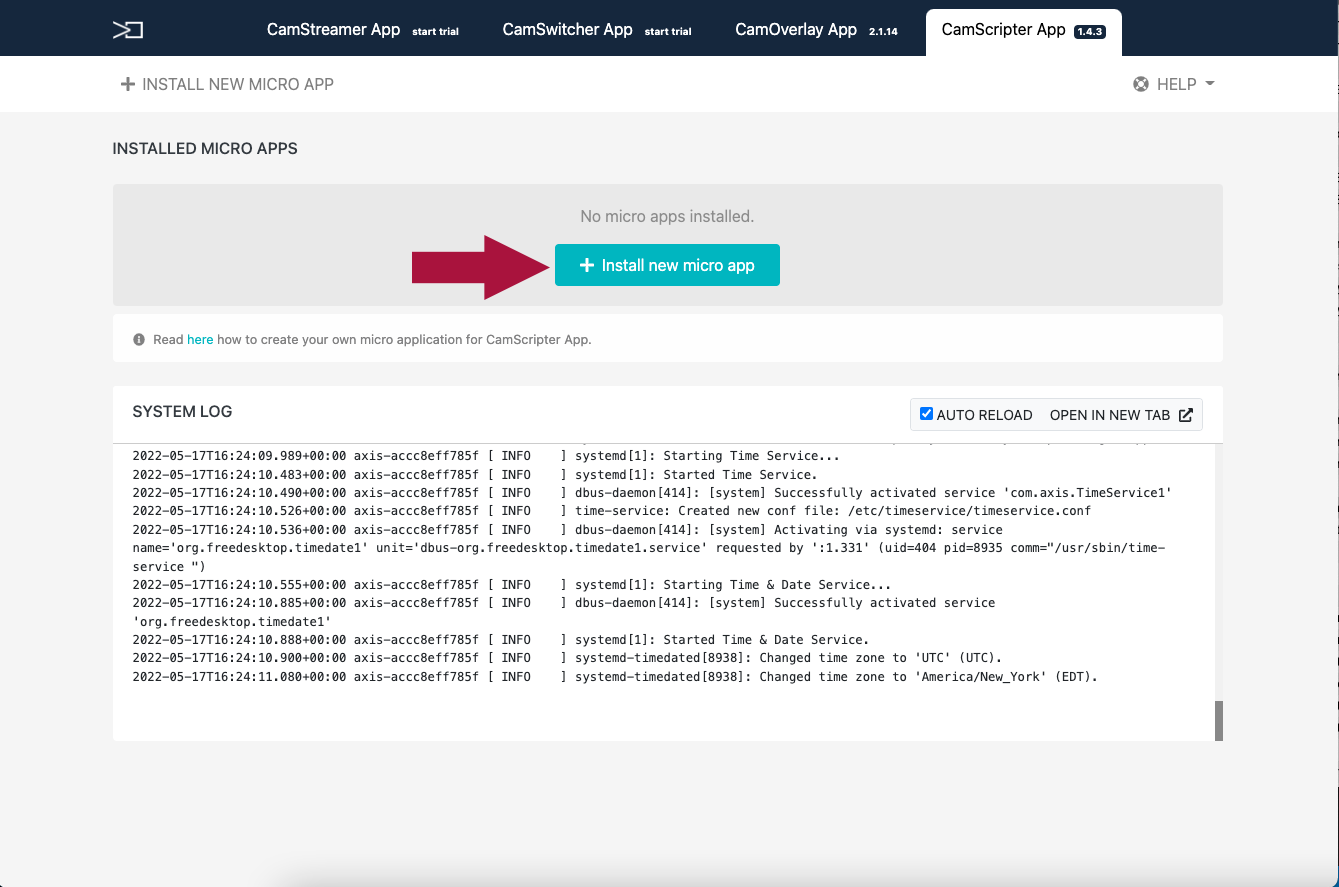
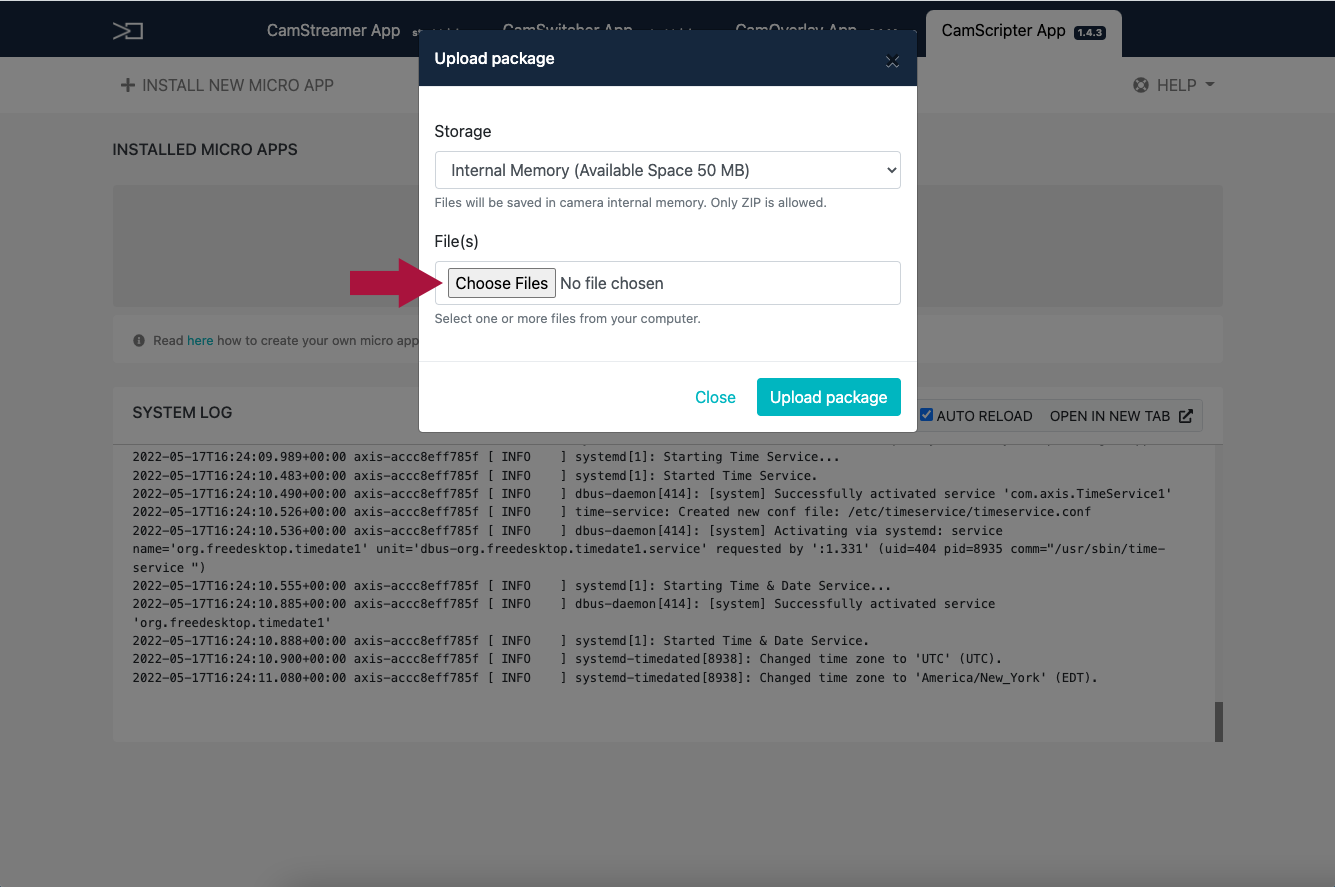
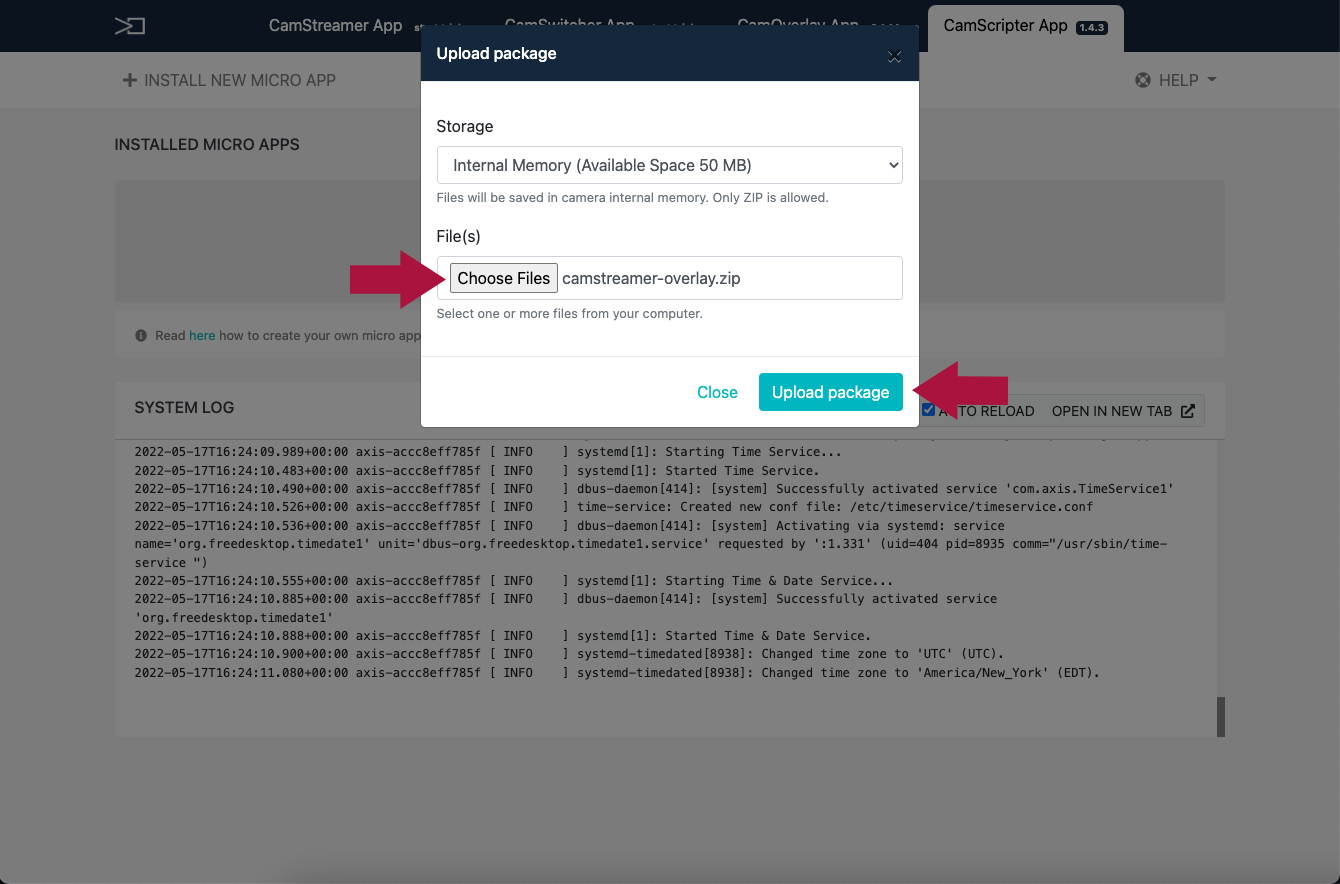
In CamScripter, click "Install new micro app" and upload the ScoreBird overlay ZIP file.
Step 5: Configure the Overlay
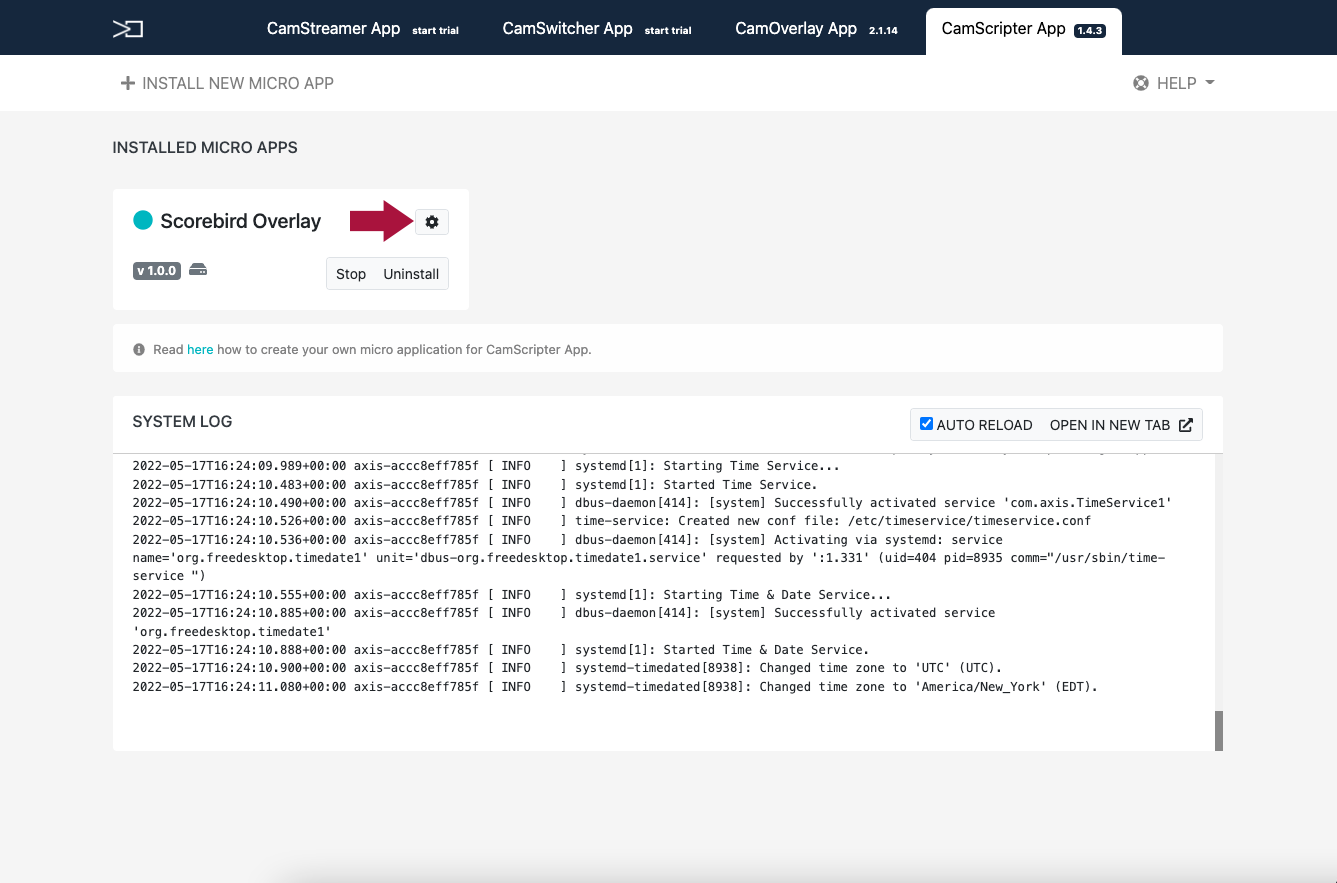
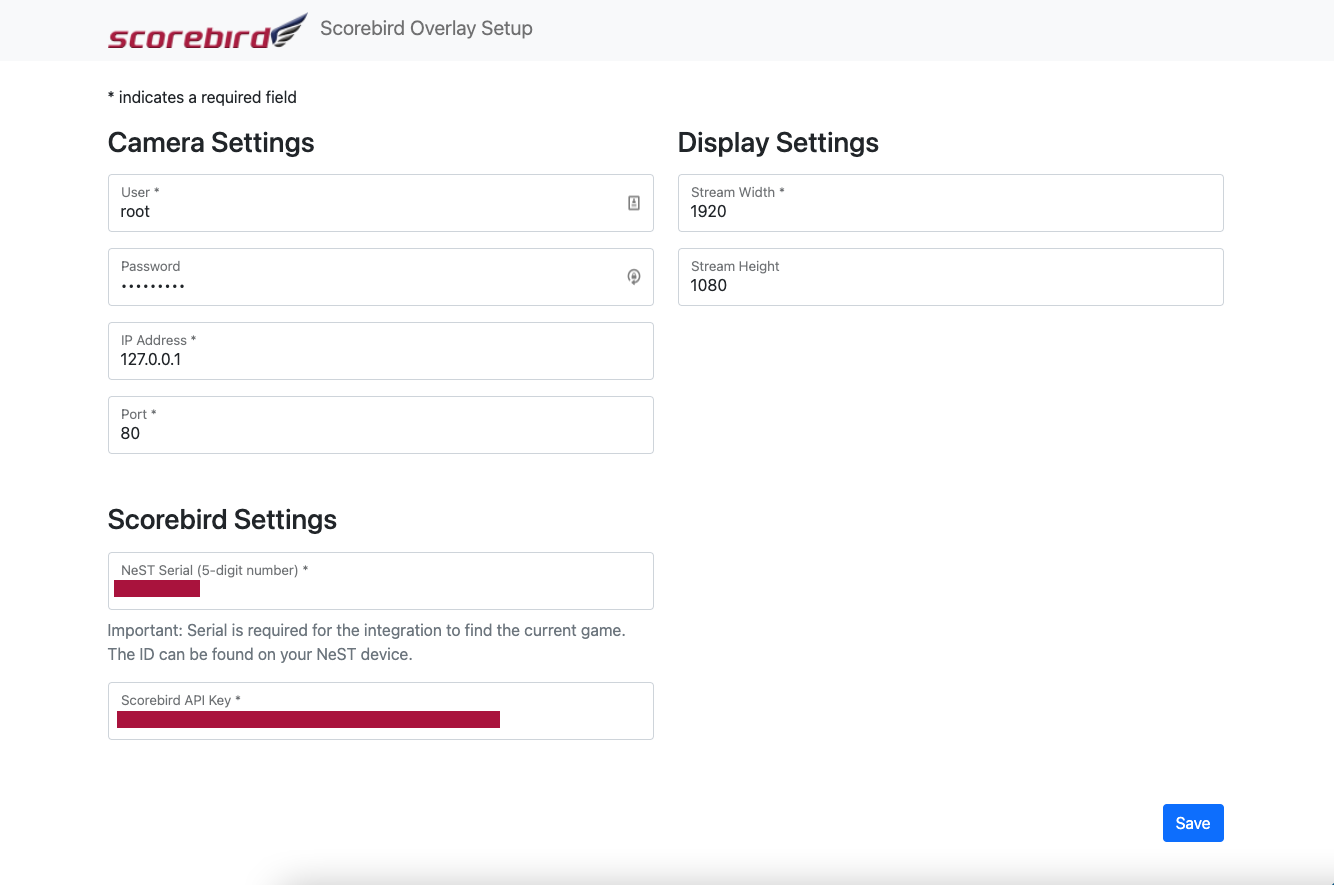
Click "Start" on the installed overlay, then click the gear icon to open its settings. Enter the following:
- API key — from your ScoreBird account
- NeST serial number — found on the NeST device or in the ScoreBird Admin app
- Sport type — select the sport being scored
- Product selection — choose your overlay style
Click "Populate View Areas" when done.
Step 6: Verify the Overlay
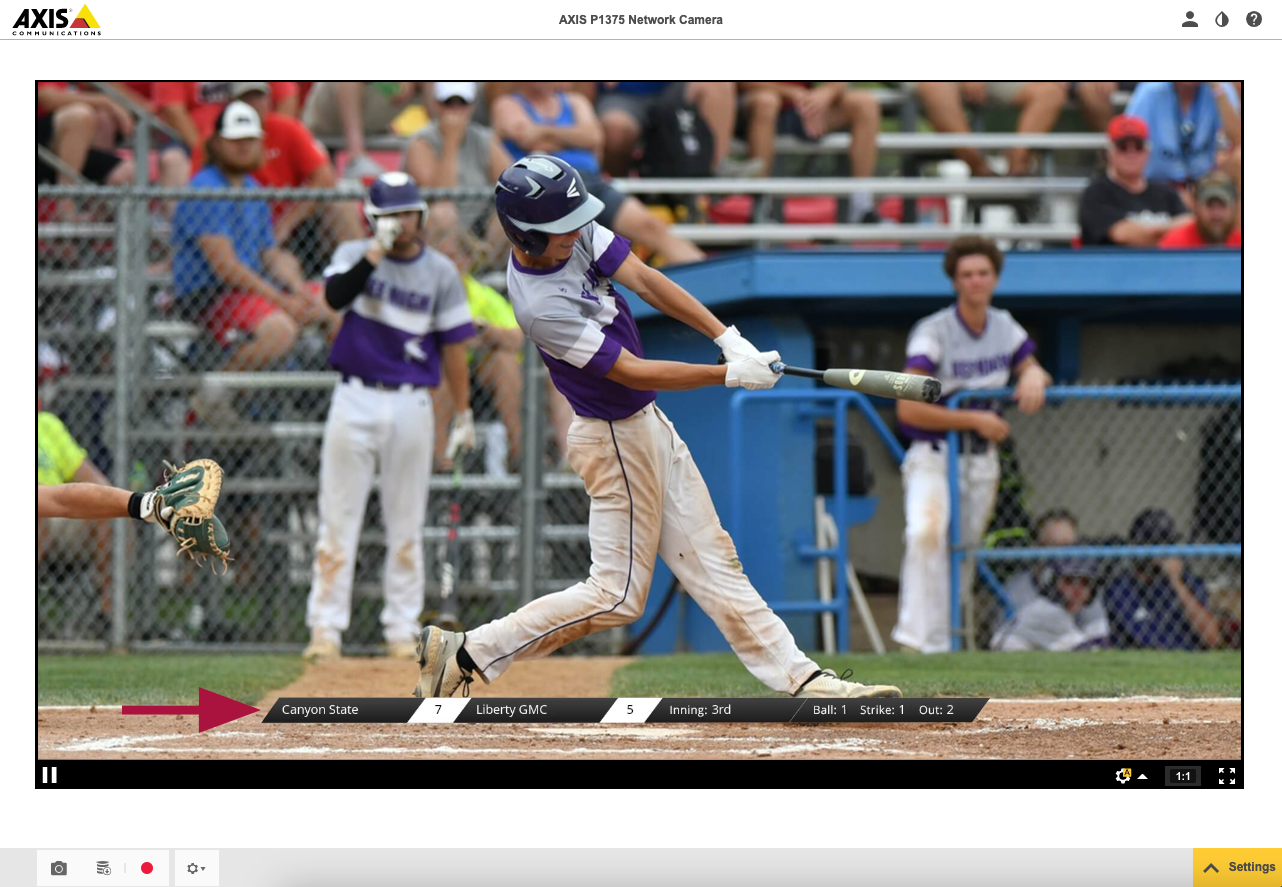
View your camera stream to confirm the overlay is appearing correctly on the output.
Step 7: Disabling the Overlay
To disable the overlay, toggle off the Scripter button in CamOverlay.
Important Notes
- Only 720p and 1080p streaming resolutions are supported.
- The overlay may appear off-center in the camera preview but displays correctly on live streams.
- Stop the overlay when not in use to prevent unnecessary network traffic.
Troubleshooting
- Overlay not appearing? Verify settings were saved and that your NeST device is powered on.
- API errors? Check the CamScripter logs for details and confirm your API key is correct.
- Wrong data showing? Confirm the correct sport type is selected.
- No data at all? Verify your NeST is assigned to a facility and that a game exists in the schedule.
- Need help? Contact support at support@scorebird.com or call 844-GOT-BIRD (844-468-2473).
Still need help?
Can't find what you're looking for? Our support team is here to help.
Contact Support →Ready to automate your scores?
NeST connects to your scoreboard and powers everything you just read about.