
Ross XPression / DataLinq Setup
Ross XPression / DataLinq Integration Setup
Connect ScoreBird to Ross XPression using DataLinq. Two connection methods are available: an RSS Feed DataLinq source (works with any DataLinq version) and a WebSocket source (requires DataLinq 11.5+).
Requirements
- Ross XPression with DataLinq installed
- A NeST device
- Your 5-digit NeST ID
- WebSocket method only: DataLinq 11.5 or later, and the NeST device must be on the same network as your XPression system
Method A: RSS Feed DataLinq Connection
Step 1: Add a New DataLinq Source
In DataLinq, click "Add New" in the bottom left corner.
Step 2: Select RSS Feed DataLinq Source
Select #14, RSS Feed DataLinq Source. Click OK.
Step 3: Enter the API URL
Paste the following API link into the URL field, replacing XXXXX with your 5-digit NeST ID:
https://nestcloud-api.scorebird.com/v2/game-state?nest_id=XXXXX
Set "Data Format" to JSON. Click OK.

Step 4: Browse the Connection
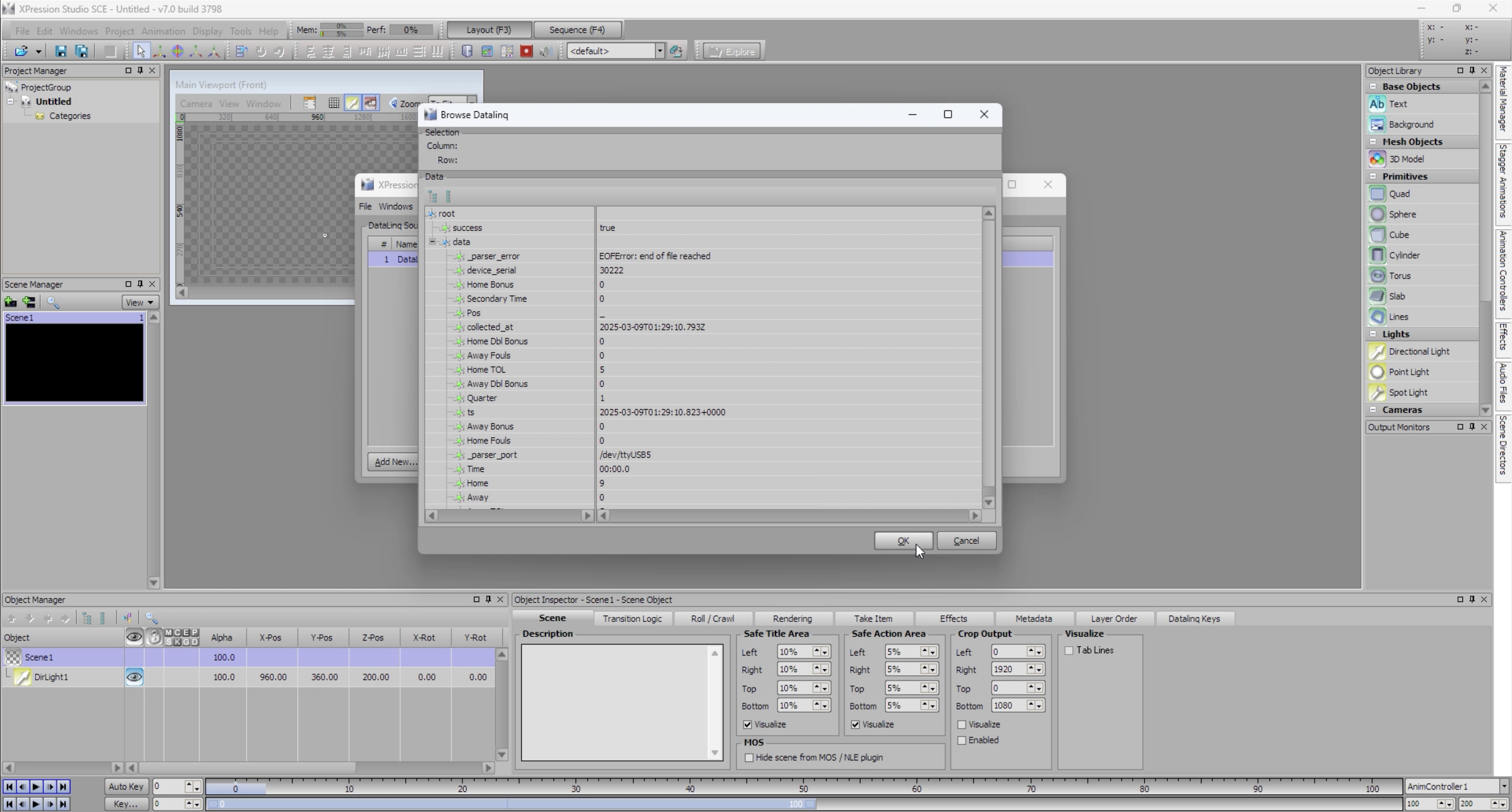
With the new connection highlighted, click "Browse".
Step 5: Verify Data Fields
Confirm that data fields are visible in the browser panel. Fields will populate with live data once a successful connection is established.
Method B: WebSocket Connection
Requires DataLinq 11.5 or later. The NeST device must be on the same network as your XPression system.
Step 1: Add a WebSocket DataLinq Source
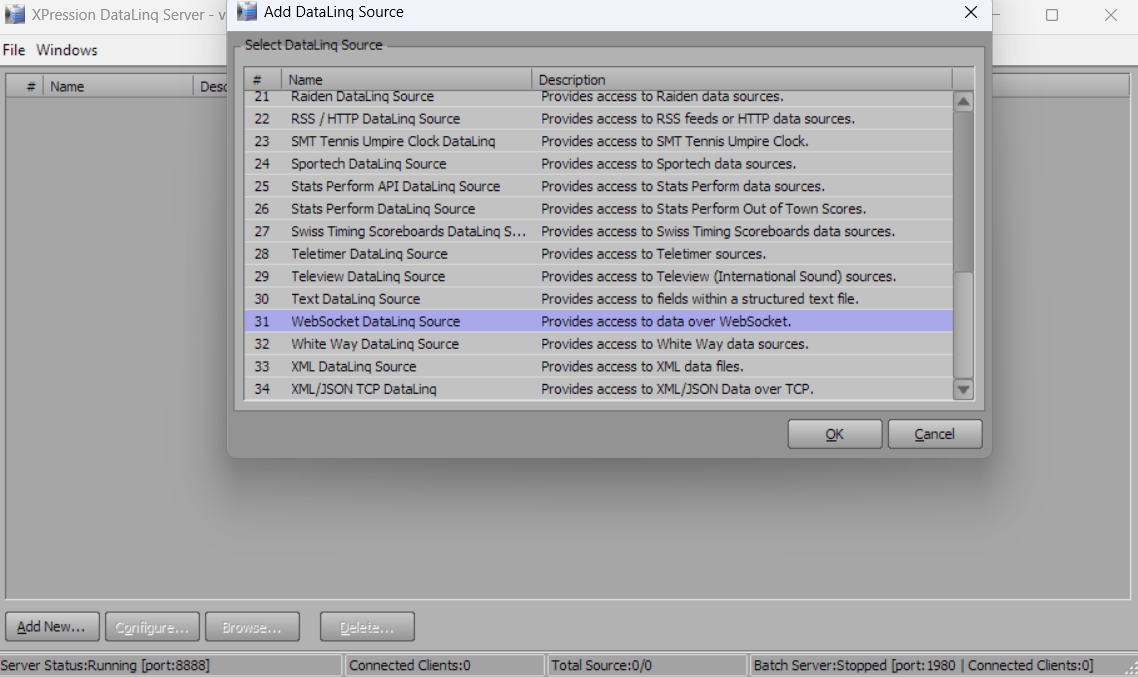
In DataLinq, click "Add New", select WebSocket DataLinq Source, and click OK.
Step 2: Enter the WebSocket Host
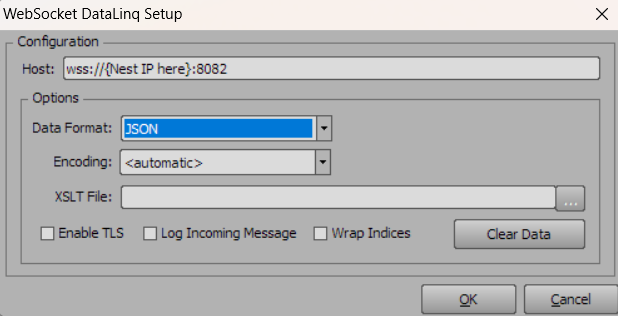
Enter the Host name using wss:// followed by the IP address of your NeST device and port :8082. For example:
wss://192.168.1.100:8082
Click OK.
Troubleshooting
- No data fields appearing? Verify your NeST ID is correct and your NeST device is online.
- WebSocket not connecting? Confirm the NeST device is on the same network as your XPression system and that you are running DataLinq 11.5 or later.
- Need help? Contact support at support@scorebird.com or call 844-GOT-BIRD (844-468-2473).
Still need help?
Can't find what you're looking for? Our support team is here to help.
Contact Support →Ready to automate your scores?
NeST connects to your scoreboard and powers everything you just read about.