
TKDS Media Setup
TKDS Media Integration Setup
Connect ScoreBird to TKDS Media for a native broadcast integration. Data flows directly between ScoreBird and TKDS — no browser source or third-party overlay required.
Requirements
- TKDS Media software installed
- A NeST device
- Your 5-digit NeST ID
Step 1: Enable ScoreBird in the Events Tab
Navigate to the Events tab in TKDS Media. Enable the Scorebird switch and enter your 5-digit NeST ID.
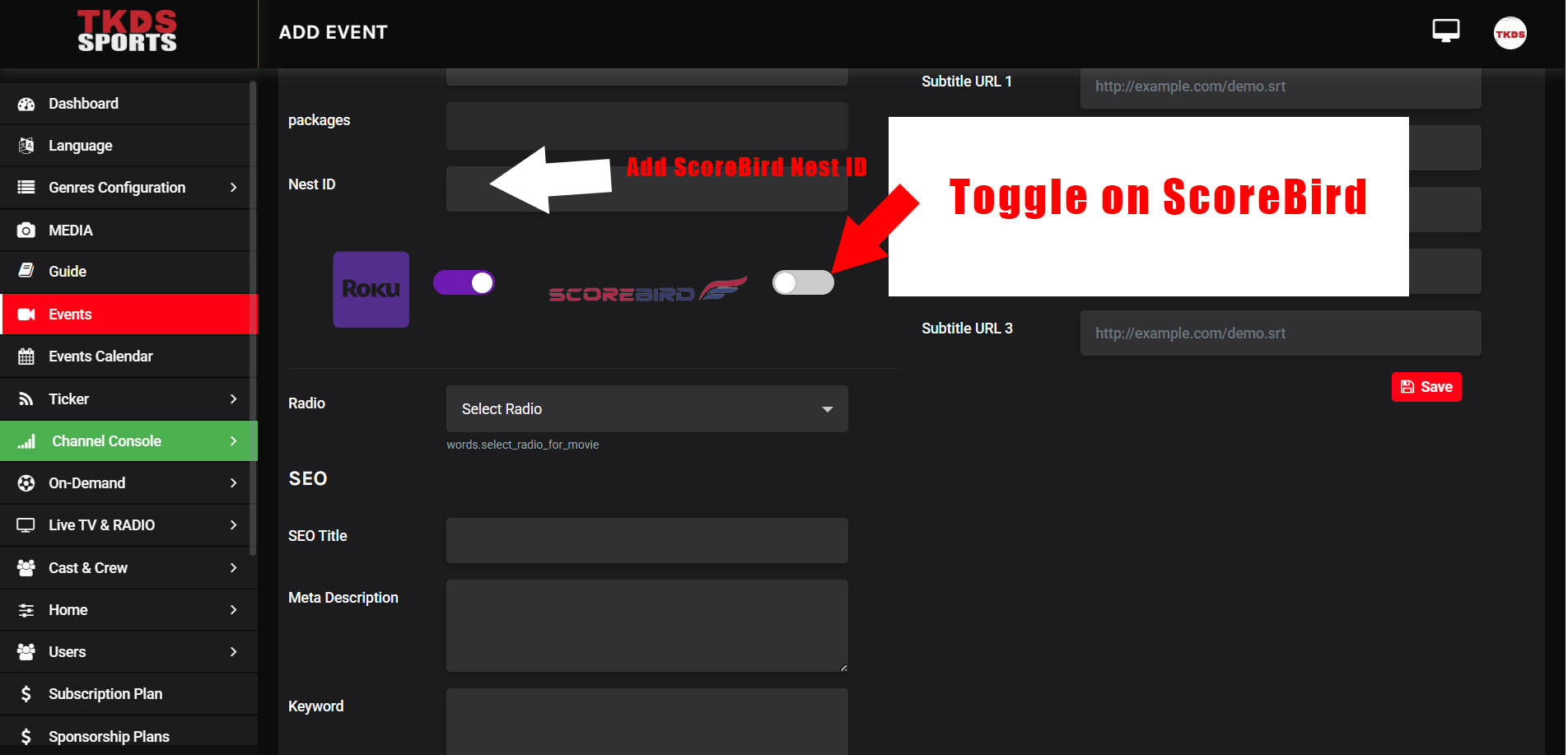
Step 2: Customize Team Settings
Adjust team-specific settings including colors, names, logos, and any other customization options available for your sport.
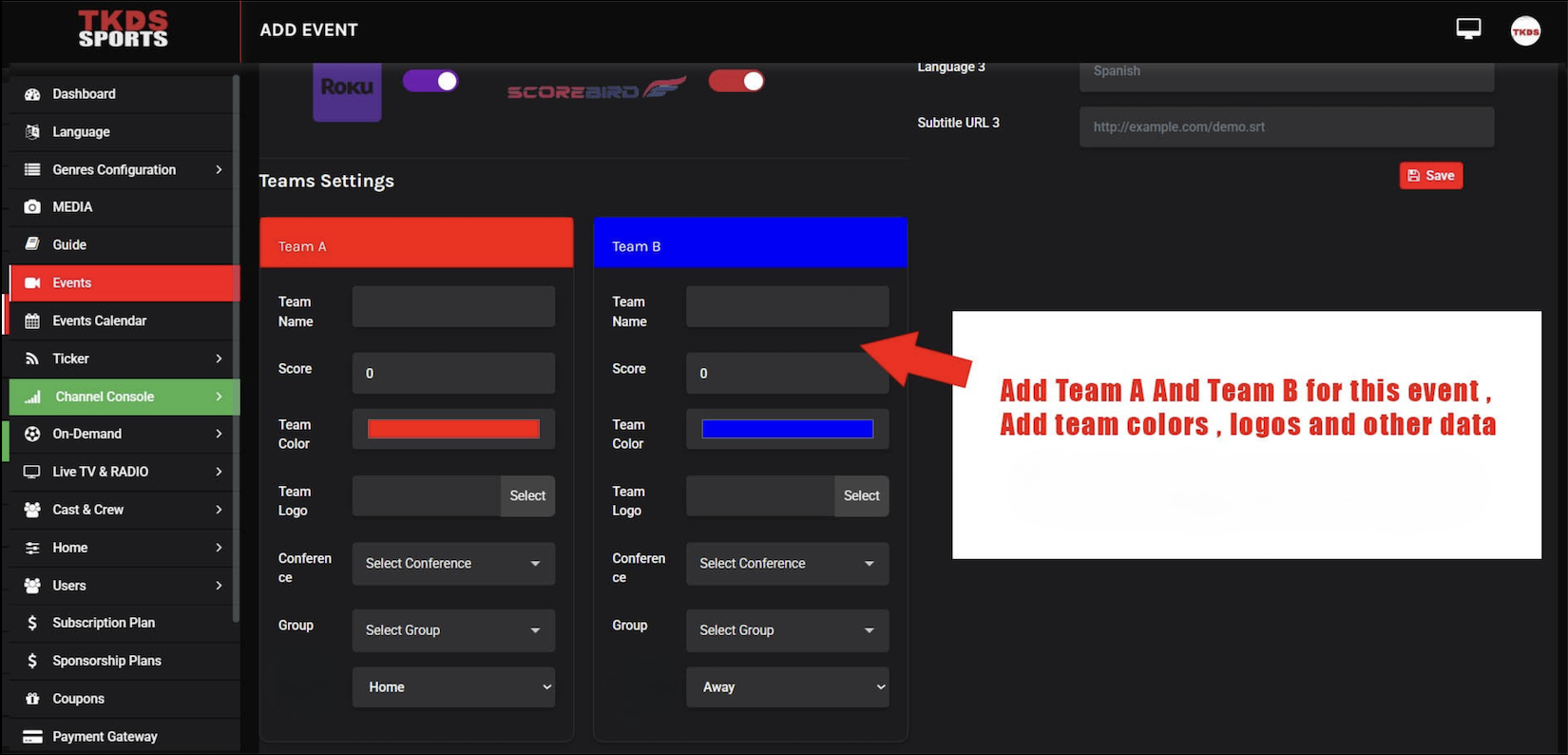
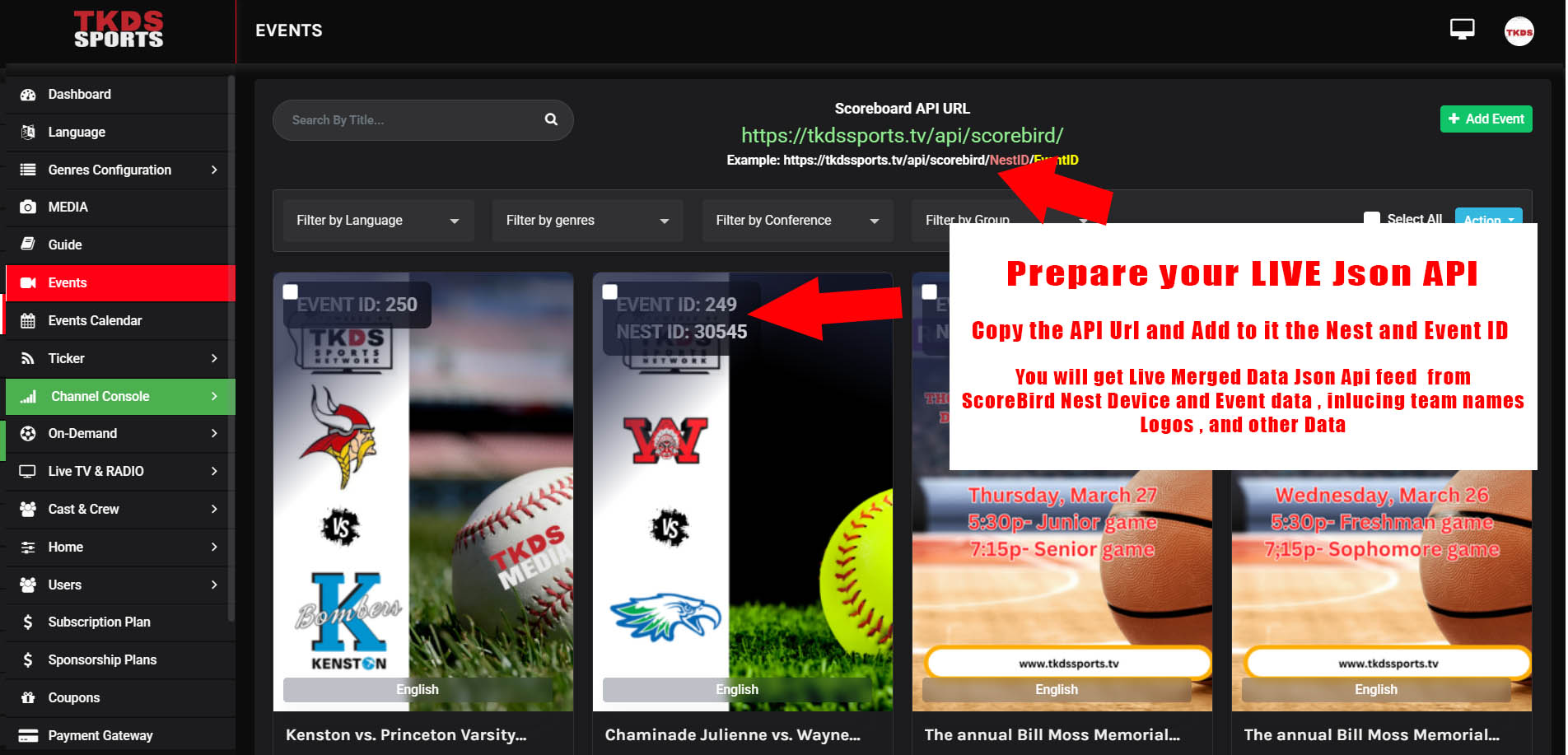
Step 3: Access the Live JSON API Endpoint
Access the live JSON API endpoint generated by TKDS. Extract the API URL — it will include your NeST ID and Event ID as parameters.
Notes
- This is a native integration — data flows directly between ScoreBird and TKDS without requiring a separate overlay or browser source.
Troubleshooting
- Data not appearing? Confirm your NeST device is online and the correct NeST ID is entered.
- Need help? Contact support at support@scorebird.com or call 844-GOT-BIRD (844-468-2473).
Still need help?
Can't find what you're looking for? Our support team is here to help.
Contact Support →Ready to automate your scores?
NeST connects to your scoreboard and powers everything you just read about.