
Vimeo Livestream Setup
Vimeo Livestream Integration Setup
Add a live ScoreBird score overlay to your Vimeo Livestream productions using the built-in graphics layer. The overlay connects to your NeST device and updates automatically whenever your scoreboard changes.
Requirements
- Vimeo Livestream software installed
- A ScoreBird account with an active NeST device
- Your overlay URL from the ScoreBird Portal
Step 1: Create a Custom Graphic
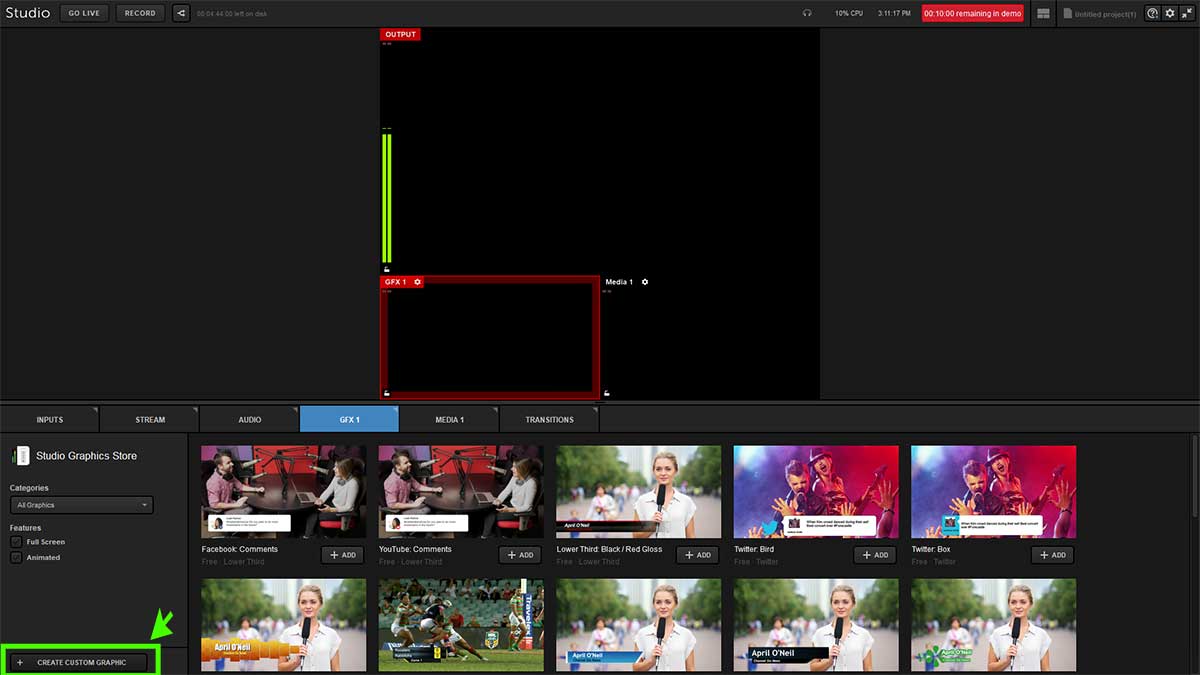
Open the Vimeo Livestream application and click "Create Custom Graphic" to begin adding a new graphics layer to your production.
Step 2: Add a New Layer
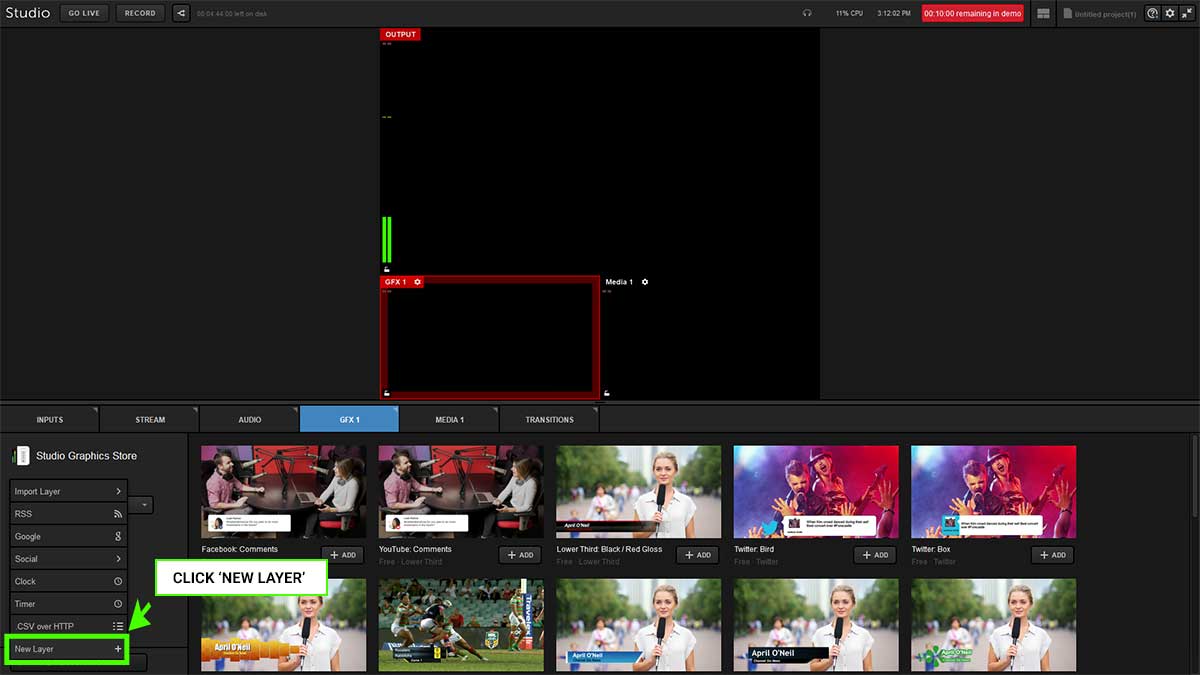
Select GFX1_, then click Add Layer, and choose New Layer to create a fresh graphics layer for the ScoreBird overlay.
Step 3: Open the Layer Editor
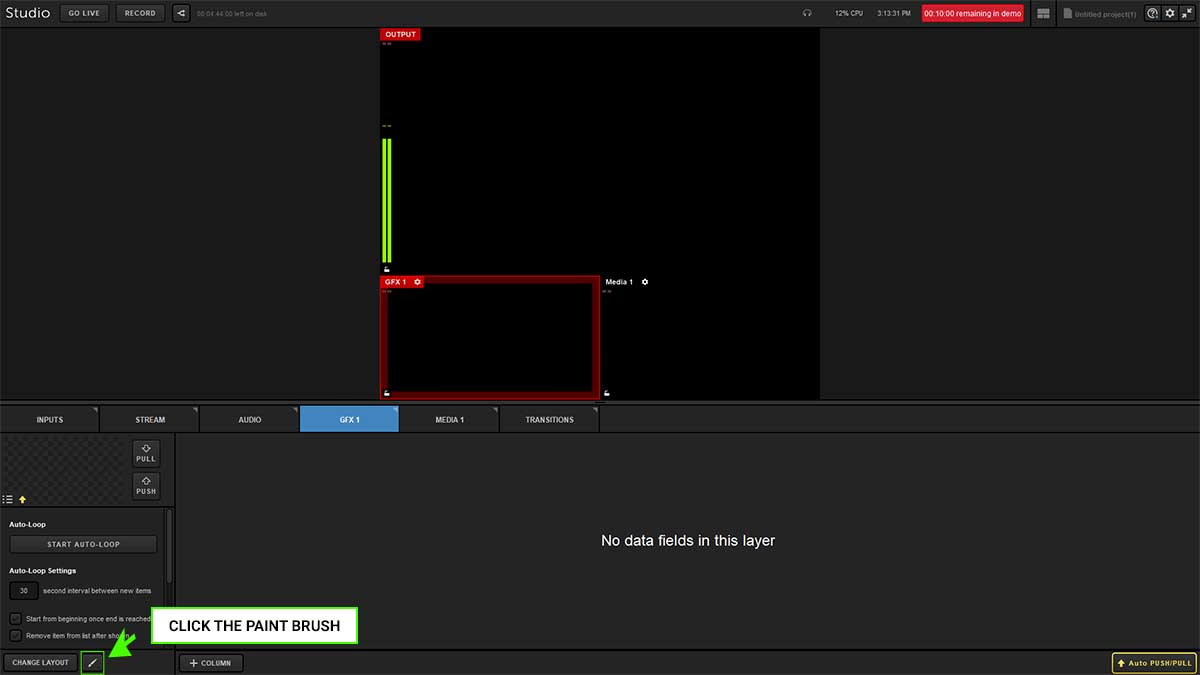
Click the paint brush icon to open the layer editor where you can configure the graphic source.
Step 4: Add a Browser Source
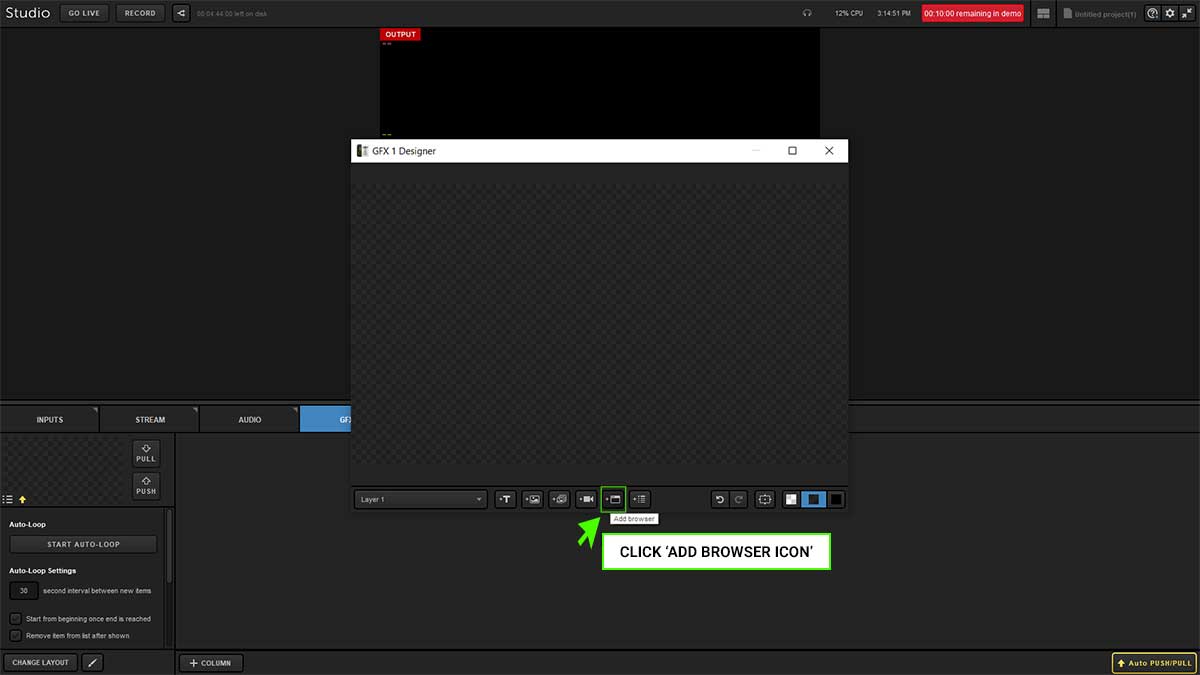
Click the "Add Browser" icon to insert a web-based graphic into the layer.
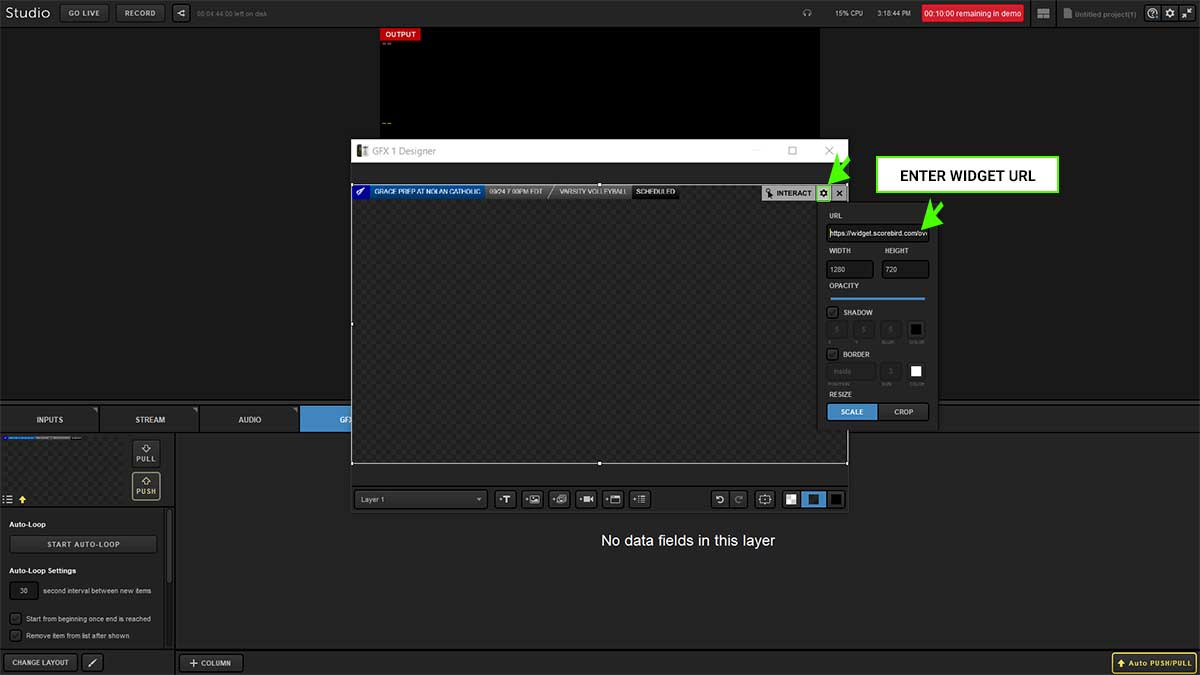
Step 5: Enter the Widget URL
Paste your ScoreBird overlay URL into the URL field. Set the dimensions to approximately 1024px wide × 150px high and confirm.
Get your overlay URL from the ScoreBird Portal under Overlay Builder. Select your device and sport, then copy the generated URL.
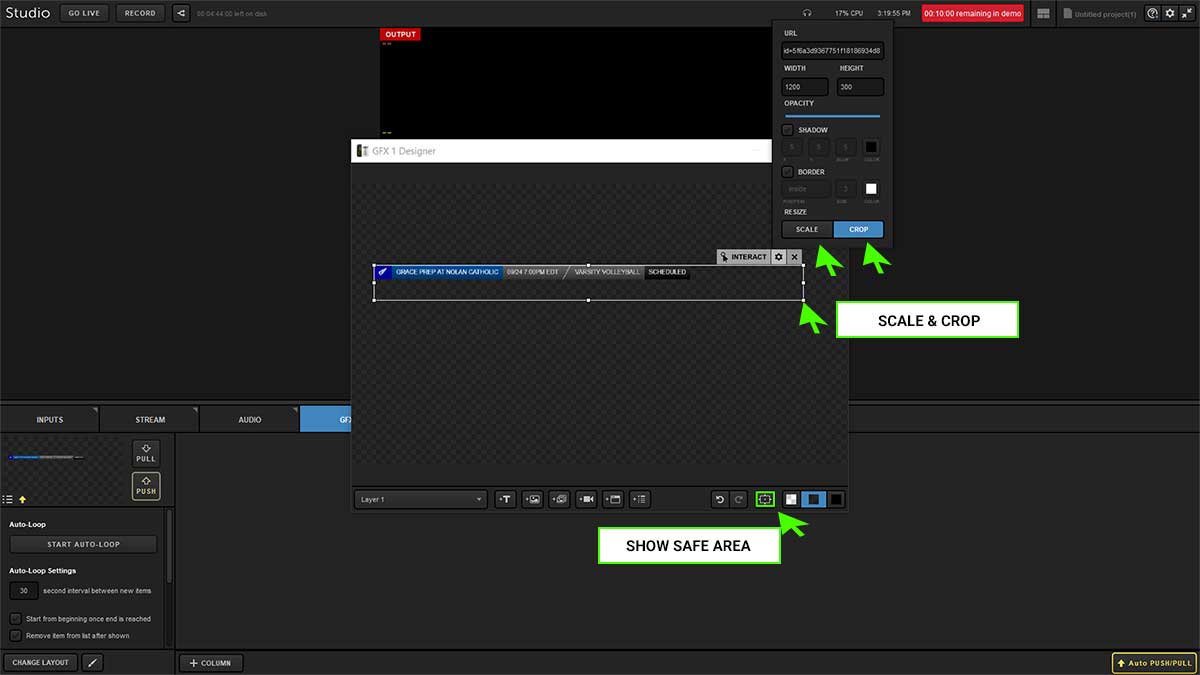
Step 6: Scale and Crop the Overlay
Resize and crop the graphic to fit your production layout. Use the "Show Safe Area" guide to ensure the overlay sits within the visible broadcast area.
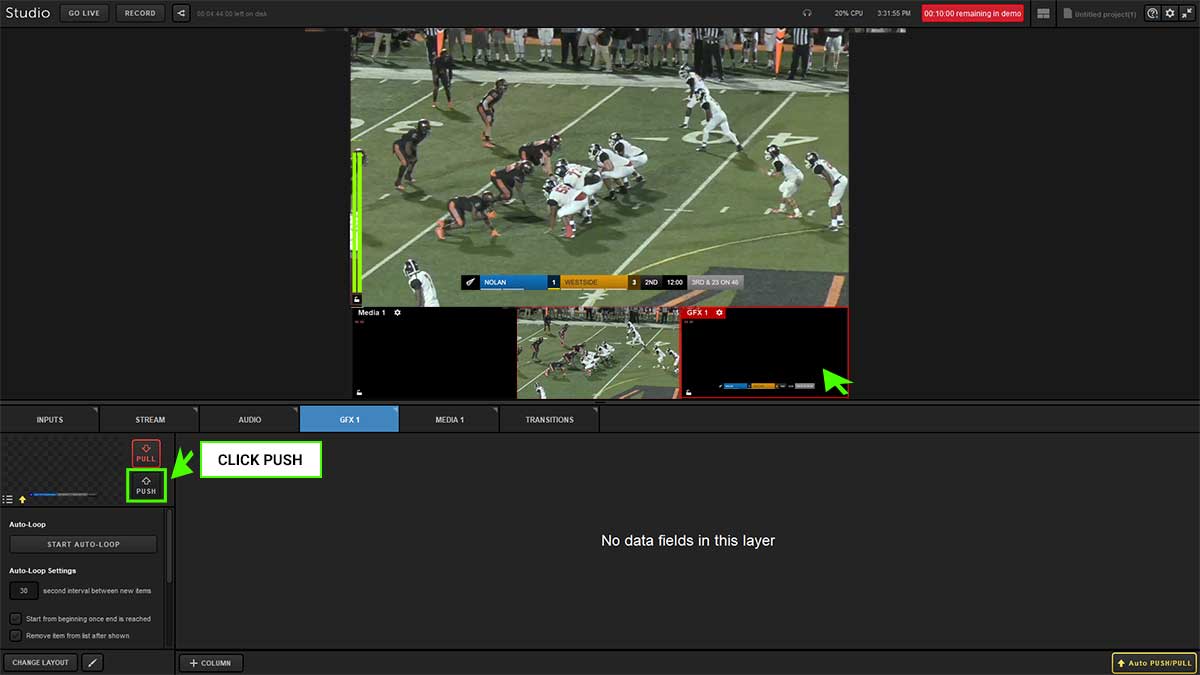
Step 7: Push to Staging Area
Click "Push" to move the overlay from the editor to the staging area, making it ready to go live in your broadcast.
Troubleshooting
- Overlay not appearing? Confirm the URL is correct and that your NeST device is showing as online in the ScoreBird portal.
- Score not updating? Verify that a game is active in your ScoreBird schedule. The widget only shows live data during active games.
- Graphic looks cropped or misaligned? Revisit Step 6 and adjust the crop and scale settings. Use "Show Safe Area" as a positioning reference.
- Need help? Contact support at support@scorebird.com or call 844-GOT-BIRD (844-468-2473).
Still need help?
Can't find what you're looking for? Our support team is here to help.
Contact Support →Ready to automate your scores?
NeST connects to your scoreboard and powers everything you just read about.