
School Schedules Embed
School Schedules Embed
The school schedules widget displays a school's complete schedule with results from completed games. Visitors can filter by sport, level, gender, and date. During active games, the widget shows live scores.
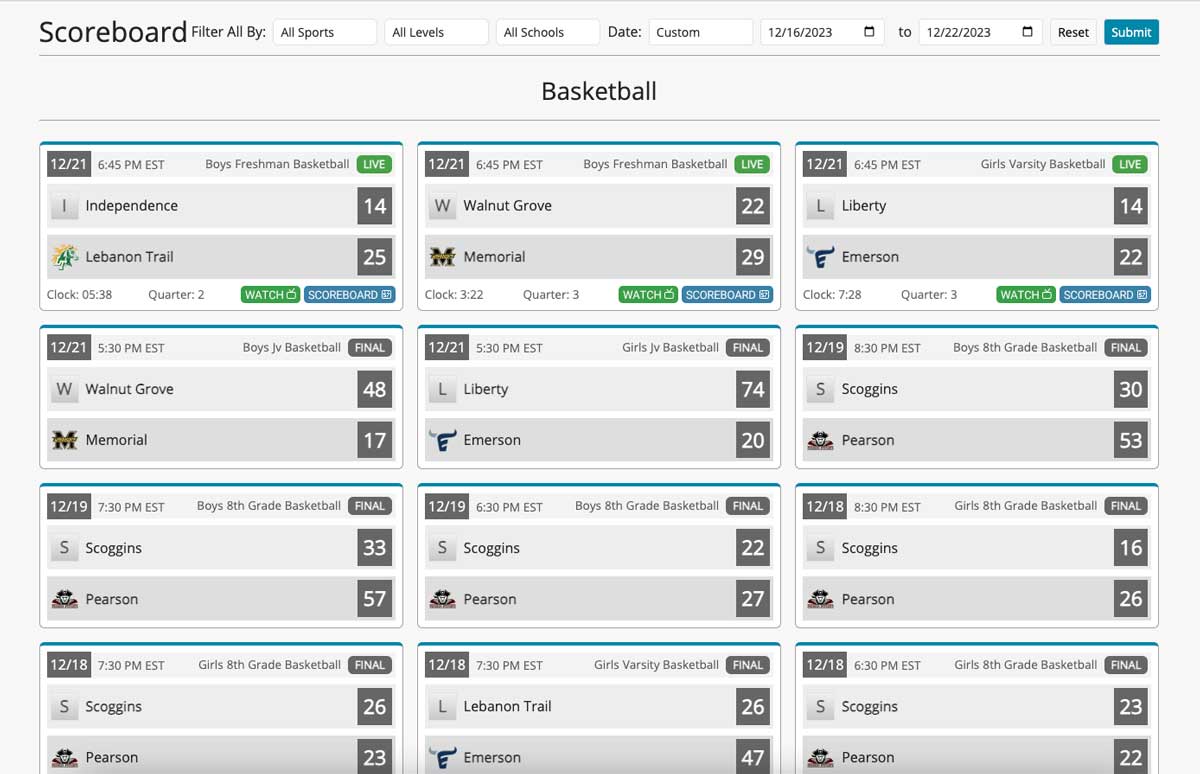
For more information about virtual scoreboards and web widgets, see the Virtual Scoreboards feature page.
Requirements
- A ScoreBird account
- Your school's
school_idfrom the ScoreBird Portal
JavaScript Method (Preferred)
The JavaScript method is the recommended approach. It handles variable schedule lengths better than a fixed-height iframe.
<div id="scorebird_school_widget"></div>
<script type="text/javascript">
  window.addEventListener('load', function () {
    ScorebirdSchoolSchedules.init({
      selector: "scorebird_school_widget",
      school_id: "",
      sport: "",
      level: "",
      gender: ""
    });
  });
</script>
<script type="text/javascript" src="https://widget.scorebird.com/scorebird-school-schedules.min.js" async></script>
iFrame Method (Alternative)
Use the iframe method if you cannot add JavaScript to your page (e.g., some website builders).
<iframe
  style="border: 0px;"
  frameborder="0"
  width="100%"
  height="1000"
  src="https://widget.scorebird.com/school-widget.html?gender=&level=&sport=&school_id=">
</iframe>
If using the iframe method, adjust height to accommodate a full season of games.
Parameters Reference
| Parameter | Required | Description |
|---|---|---|
selector | Yes | The id of the <div> element where the widget renders |
school_id | Yes | Unique ScoreBird identifier for your school — obtain from the customer portal |
gender | No | Filter by gender (e.g. boys, girls) |
level | No | Filter by level (e.g. varsity, jv) |
sport | No | Filter by sport (e.g. basketball, soccer) |
school_id is required. Without it the widget cannot load any schedule data.
Troubleshooting
- Widget shows no games? Double-check your
school_idvalue in the customer portal — it is unique per school. - Wrong school showing? Confirm you are using the correct
school_id; each school has a distinct identifier. - Widget height is wrong? Switch to the JavaScript method — it sizes itself based on actual schedule length rather than a fixed height.
- Live scores not updating? Ensure a game is active and your NeST device is online.
- Need help? Contact support at support@scorebird.com or call 844-GOT-BIRD (844-468-2473).
Still need help?
Can't find what you're looking for? Our support team is here to help.
Contact Support →Ready to automate your scores?
NeST connects to your scoreboard and powers everything you just read about.